 Calryn
For watch collectors
A private record of the watches that matter.
Photograph every piece. Keep its reference, provenance, papers and service history in one place. Follow the collection's story over the years. Your collection stays on your iPhone, with optional sync through your own private iCloud account.
 iPhone · iOS 26 or later
Showcase
The watches you would hand across the table.
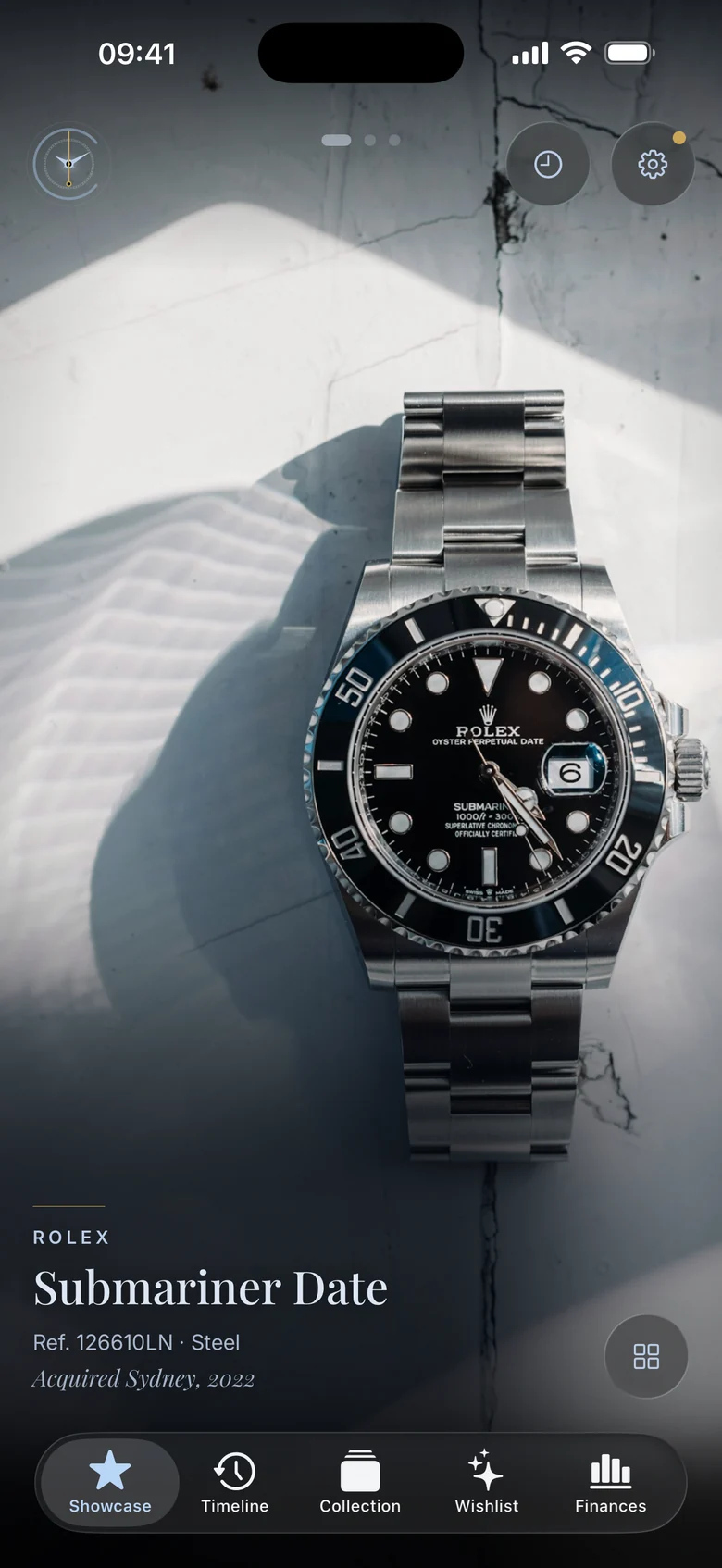
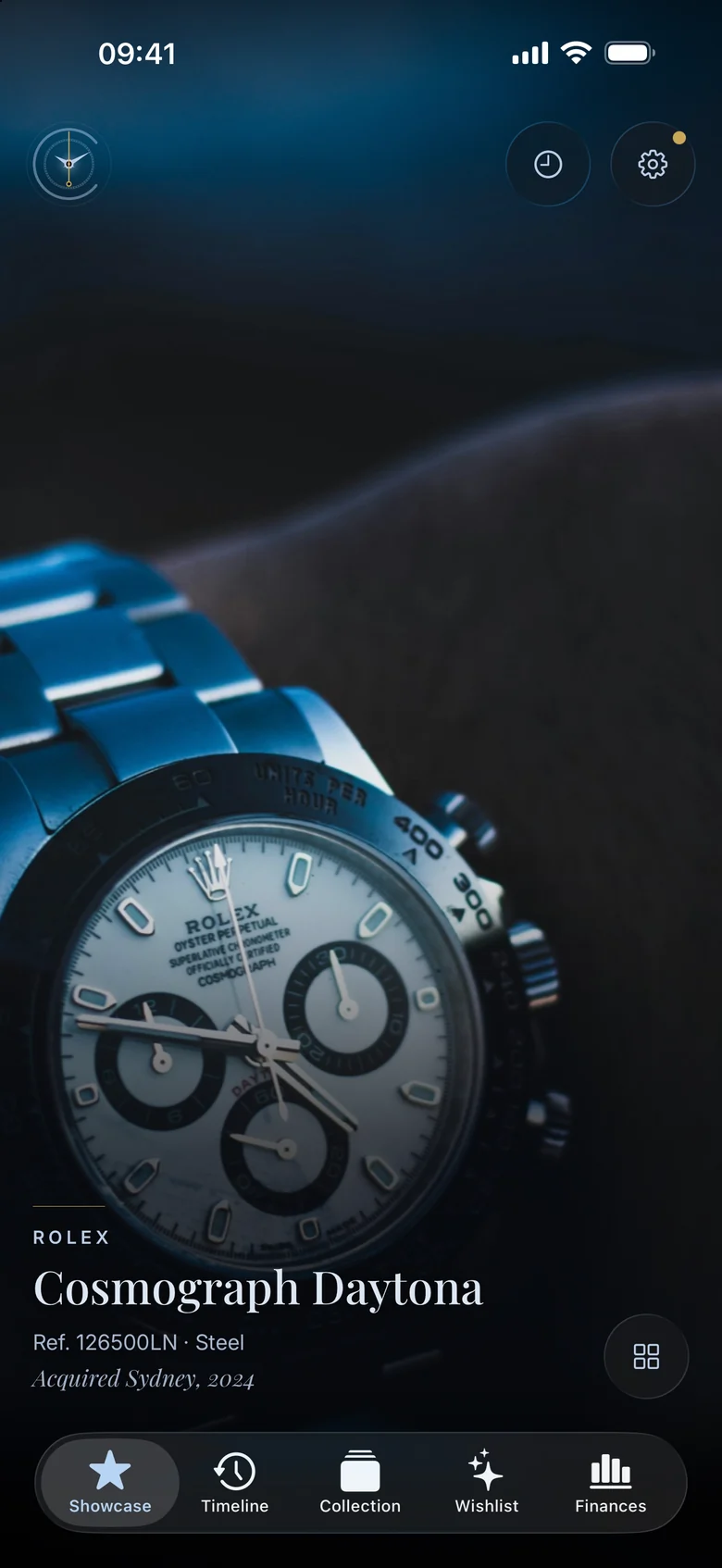
Showcase is the front of the app and it is nothing but photography. Choose the pieces that deserve it and they fill the screen edge to edge, with the reference and where you found it set quietly beneath.
- You choose what's in it. Star a watch and it joins the feed. Unstar it and it leaves.
- Your photographs fill the screen, with details kept discreet.
- Ambient by design. Leave a watch on screen and its photographs advance automatically.
The record
Everything about a watch, kept where it belongs.
Keep specifications, photographs, purchase details, papers, straps, service history and wear logs together in one watch record. Explore the details of each piece, your collection's story and the collection as a whole below.
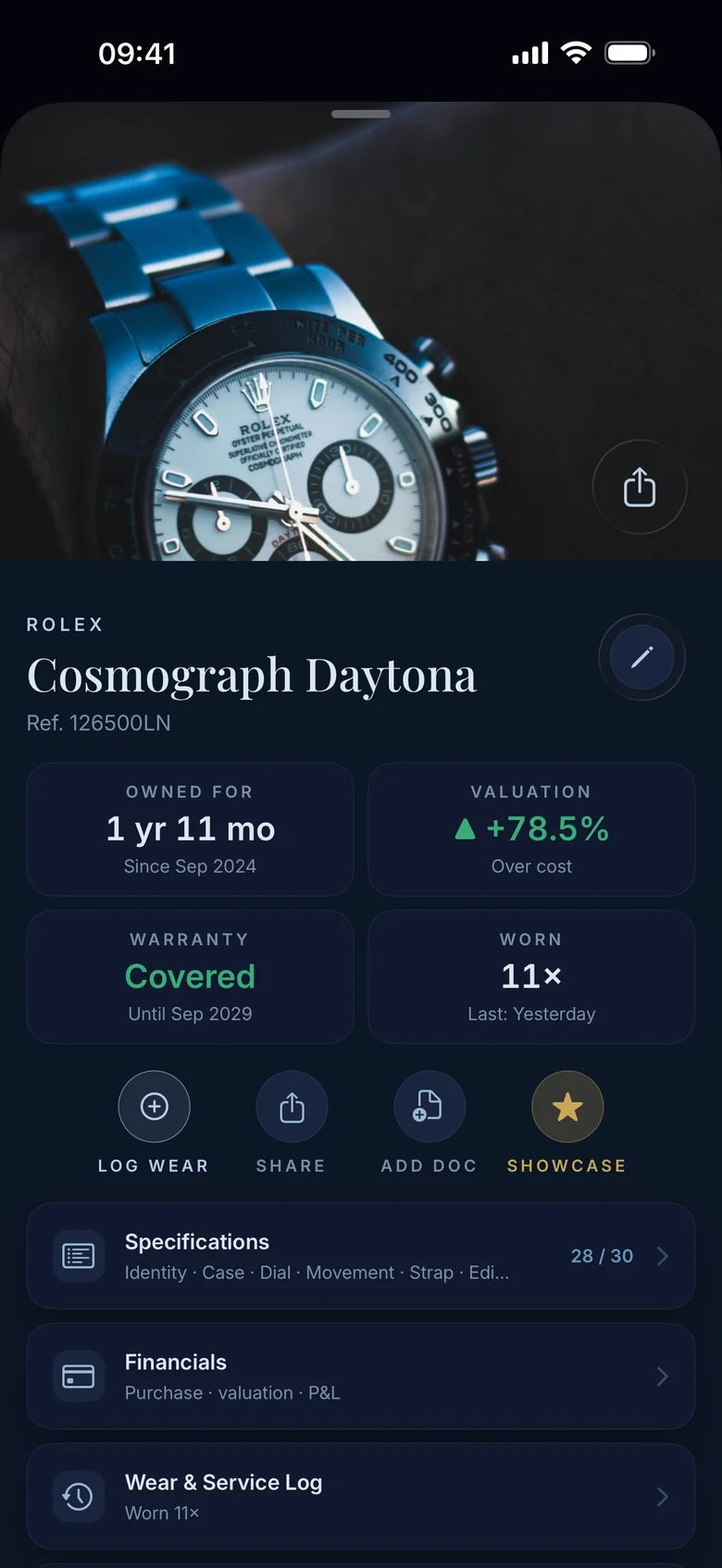
One record per watch
Thirty specification fields, box and papers, warranty, straps, documents, and every service and wear entry. Serial numbers and purchase amounts have an additional layer of encryption within Calryn.
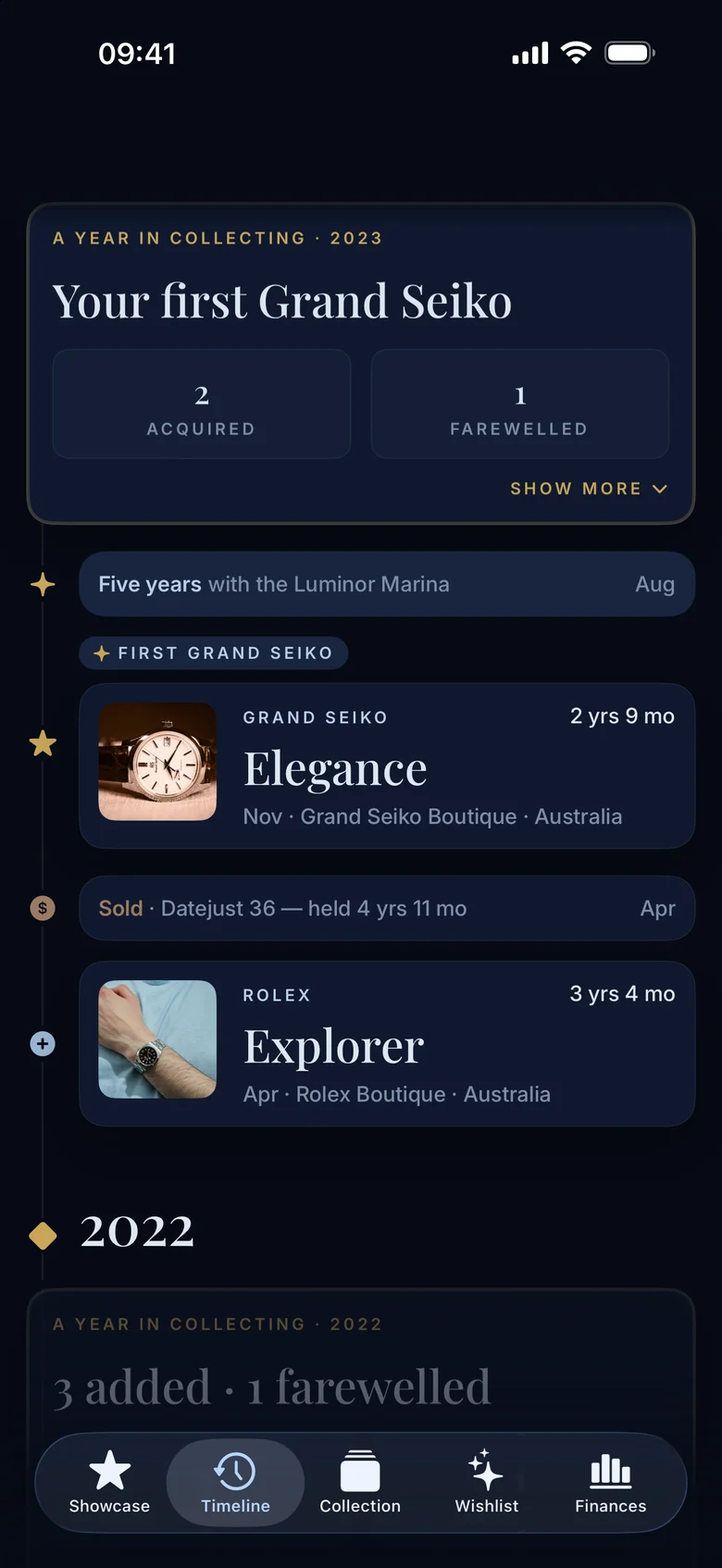
The story, in chapters
Acquisitions, farewells, anniversaries and service moments arranged along the years. Chapter headings are based on the information you record.
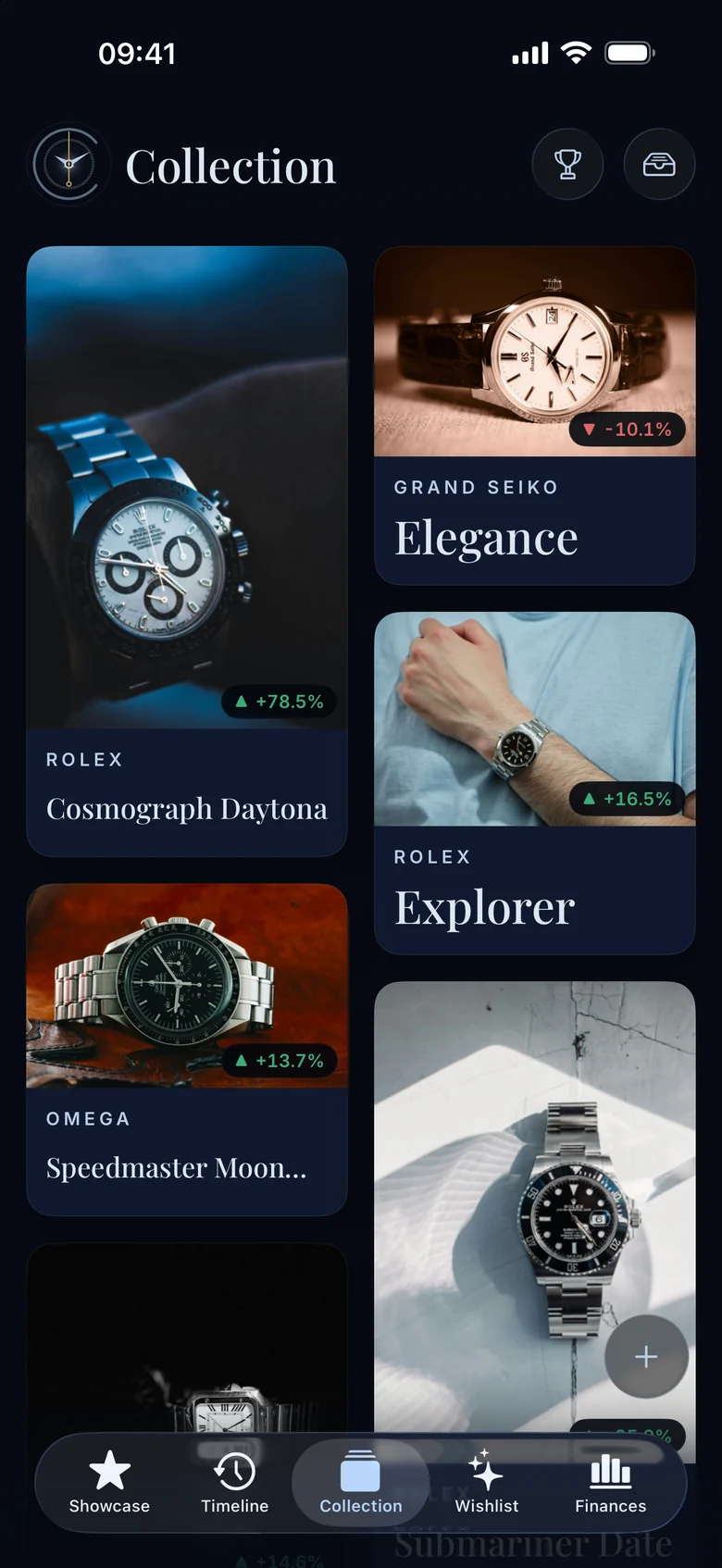
The collection, at a glance
A photographic grid of what you own, with the pieces you have moved on kept in an archive. Search across the whole collection by brand, model, reference or retailer.
Value and intent
Know what it cost, what you think it's worth, and what comes next.
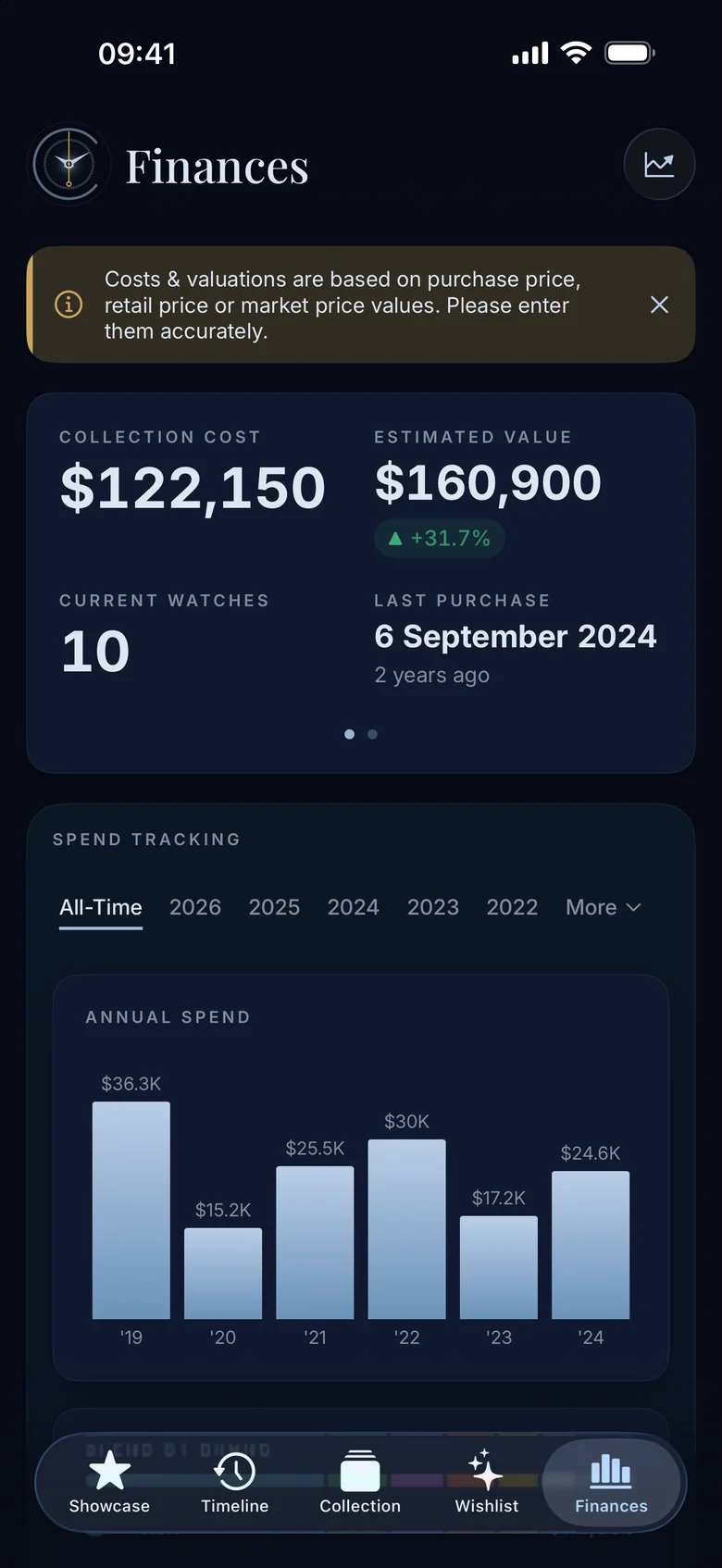
Finances
Your figures, in context
Collection cost against your own estimate of its value. Gains and losses on watches you own and have sold. Spend by year and by retailer. A valuation review lets you review your collection and revise every estimate in one sitting, and Calryn keeps the history of what you thought each watch was worth.
Values are based on the figures you enter. Calryn does not source, verify or guarantee prices, and nothing in it is financial advice.
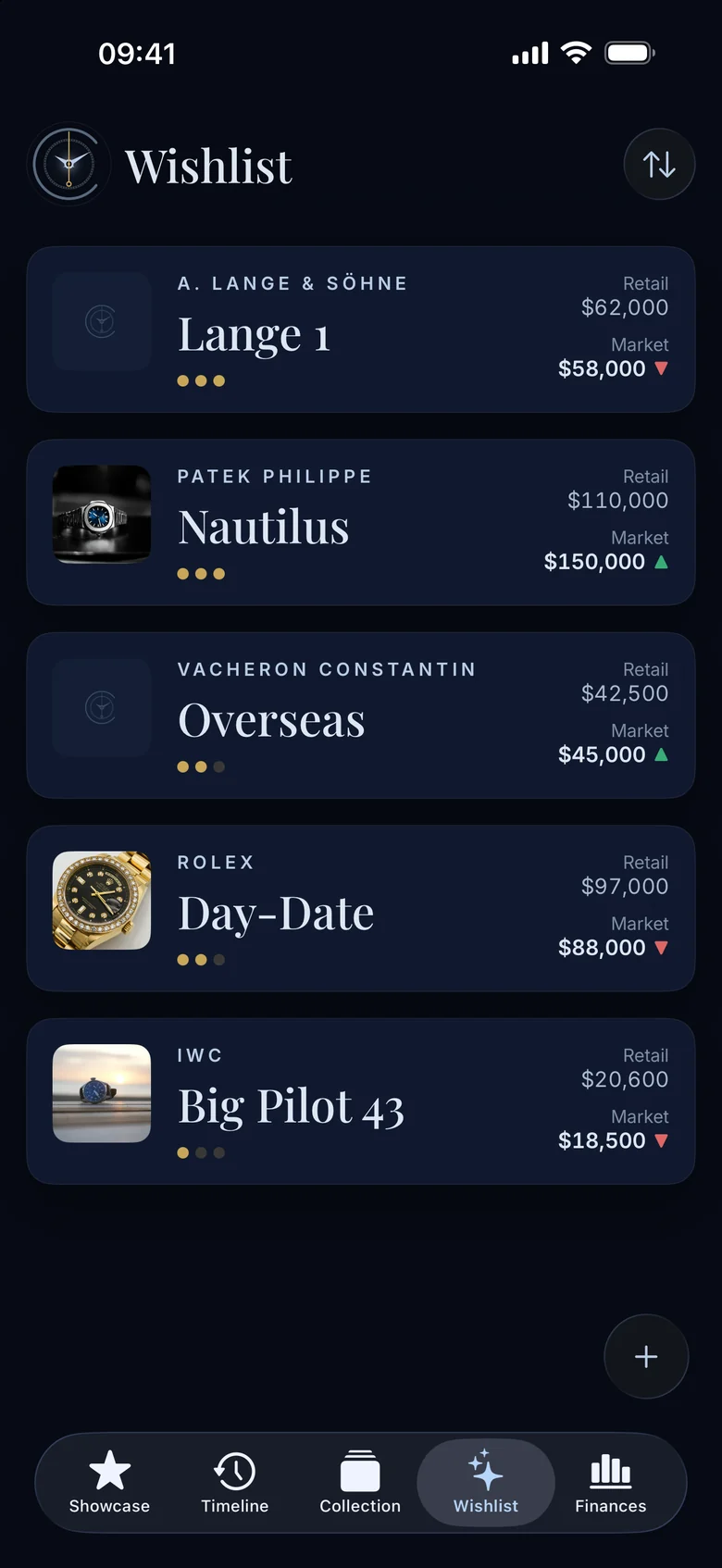
Wishlist
The next chapter, noted
The pieces you are considering, with retail and market notes and a private desirability rating. Wishlist watches never count towards the value of the collection. When one comes home, it moves across with its history intact.
Private by design
Your collection is nobody's business but yours.
Serial numbers, what you paid, where you keep things. A collection is sensitive information, so Calryn was built without any way for us to see it. There is no account to create, no server to trust and no analytics running in the background.
No account, no server
Nothing to sign up for and nothing tied to you on our side. Calryn does not run a database of collections because it does not need one.
Your own iCloud
Sync your collection through your own private iCloud database. Calryn has no access to it.
A second lock on secrets
Serial numbers, what you paid, sale amounts, service costs and documents have an additional layer of encryption within Calryn, with the key protected by iCloud Keychain and a spare copy locked by your Recovery Key.
Face ID, if you want it
Lock the whole app, or only Financial Data and Documents, with Face ID or Touch ID and your passcode as the fallback.
Location never stored
Every photo and scan has its camera and GPS metadata removed before it is written. Calryn never asks for Location permission.
Your data, portable
Back up your collection to a file you control, restore it on a compatible iPhone, share a watch as a PDF, or delete your collection from Settings.
Questions
Asked, answered.
What is Calryn?
Calryn is a watch collection app for iPhone: a private watch collection tracker for watch collectors to photograph each piece and keep its reference, purchase price, provenance, papers and service history in one place.
When is Calryn available?
Calryn is available now on the App Store for iPhone. It runs on iOS 26 or later. An iPad version will follow once it has had the same care.
What does Calryn cost?
Everything in Calryn is free for seven days. You start the free week yourself, from a screen that appears once after setup: it is a free item in the App Store, and there is no automatic charge. After that a single one-time purchase, at the price shown in the App Store, unlocks it for good. Nothing renews. After seven days, a purchase is required to continue browsing and editing your collection. Your collection remains on your iPhone and, if enabled, in your iCloud. You can still export a full backup without purchasing.
Does Calryn tell me what my watches are worth?
No. You record retail prices and your own market estimates, and Calryn calculates gains and losses from those figures. It does not source, verify or guarantee any price, and nothing in the app is financial advice.
Where is my data stored?
In a database on your iPhone and, if you turn on iCloud, in your own private iCloud database. There is no Calryn server.
What happens if I lose my phone?
With iCloud on, the collection restores to a new iPhone signed in to the same Apple Account. The most sensitive fields are protected by a key in your iCloud Keychain, with one spare copy locked by your Recovery Key in your own private iCloud database. Calryn shows you that Recovery Key during setup. Keep it somewhere safe. If you lose access to both your iCloud Keychain and your Recovery Key, we cannot recover the encrypted information for you.
Can I get my data out?
Yes. Settings creates a full backup of the collection, including photos, documents and history, as a single file you can save anywhere with the share sheet. You can also share a watch as a PDF for a private sale, or share a single photo.
Does Calryn authenticate watches?
No. Calryn is a record-keeping tool. It does not check whether a watch is genuine or detect fakes. For authentication, condition or insurance decisions, rely on a qualified professional.
Calryn for iPhone
A considered record for a considered collection.
No Calryn account. No analytics. Optional private iCloud sync.